
QDat.io
QDatDroidNewsCooldatTapDPP
CoolTagHeliSDPPMTP
Use CasesBlog
Support Portal
Physical AI Memory for Every Thing.
QDat.io

Physical AI Memory for Every Thing.

Designed by Meerv Inc. — Québec, Canada

Explore

QDatDroidCooldatCoolTagNewsBlogUse CasesBook a Demo

Contact

hello@qdat.ioqdat.io
v1.9.1© 2026 QDat.io, Designed by Meerv Inc. All rights reserved.
Privacy PolicyOpt out of Google Analytics

NFC NDPP reader · Android + iOS

TapDPP, the QDat.io App for Android and iPhone for NFC Digital Product Passports

TapDPP is the QDat.io reader for NFC NDPP tags. It writes the canonical https://tapdpp.qdat.io/<UID> URL onto a tag, publishes every tap live to the QDat.io MQTT broker, and lets the spatiotemporal resolver re-route one tag to different URLs from the When, What, and Where of each read. The Android client ships as a sideloadable build; the native iPhone client is now in public beta on TestFlight — same features, same wire format, same resolver.

Download for AndroidJoin the iOS beta
TapDPP launcher icon

TapDPP

Android v1.22.0 · iOS Public beta

What is an SDPP?

TapDPP is the simplest way to see a Spatiotemporal Digital Product Passport work.

An SDPP doesn't just answer "what is this product?" — it answers "which tag was tapped, when, and where?", and serves a different view accordingly. TapDPP turns that idea into something you can hold: tap a tag with your phone and watch the same tag resolve to a different URL depending on the time and place of the read. It's the shortest path from the SDPP concept to a working demonstration — no fixed readers to deploy, no backend to stand up first.

Read the full SDPP architecture →
A Spatiotemporal Digital Product Passport — SDPP — answers a different question than a URL. Instead of asking "who looked up this product on the public web?", it asks "which tag was tapped, when, and where?". The resolver runs on QDat.io, on infrastructure the operator owns, and routes every NFC or RAIN read to the right view based on the spatiotemporal coordinates of the read itself — not on the requester's IP. Every tap is a spatiotemporal event — When, What, Where — before it is a URL.
Excerpt from qdat.io/sdpp

Two platforms, one reader

Pick your handset. The SDPP loop is identical on both.

Android and iPhone speak the same MQTT wire format, write the same canonical tag URL, and pair against the same QDat.io broker. Whichever you carry, TapDPP appears as a live, remotely controllable reader on the operator's dashboard.

Android

Android client

v1.22.0Stable · sideload

Runs on any NFC-equipped Android 8.0 (API 26) phone or tablet. Distributed as a signed .apk you sideload directly — no Play Store account required.

Released 2026-06-09 · Sideload install — enable "Install unknown apps" for your browser or file manager.

Download .apk

iOS

iPhone client

Public betaTestFlight

The native iPhone build, redrawn around the "Emerald Instrument" look. Every NFC session is an explicit Core NFC scan you start from the app. Install it through Apple's TestFlight — open the link on the iPhone you want to test on.

June 2026 · Public beta — installs via Apple's TestFlight app. No protocol or wire-format changes from the Android client.

Join on TestFlight

The Emerald Instrument look

TapDPP on iPhone.

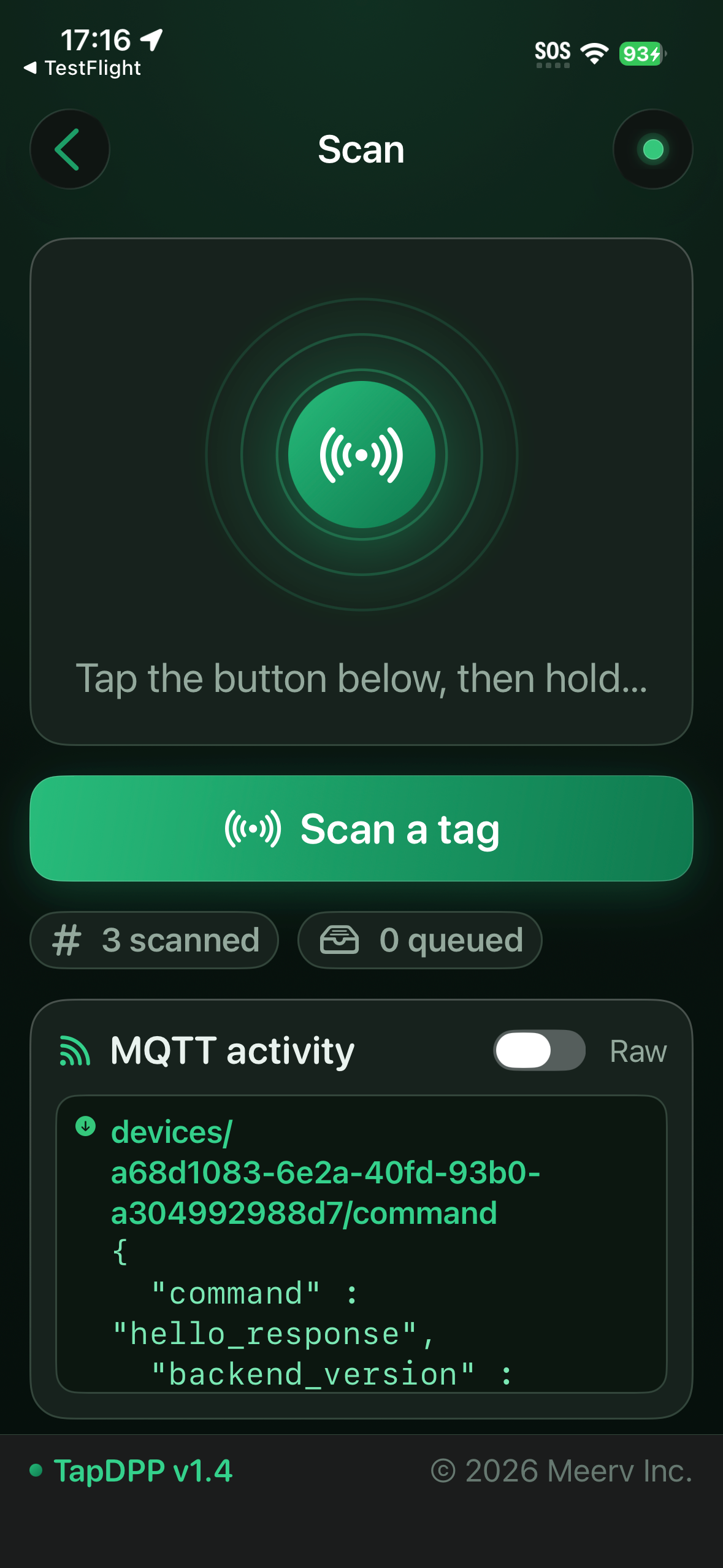
Screens from the TestFlight build — the whole app redrawn around the TapDPP emerald green, with technical data rendered as a green-tinted console.

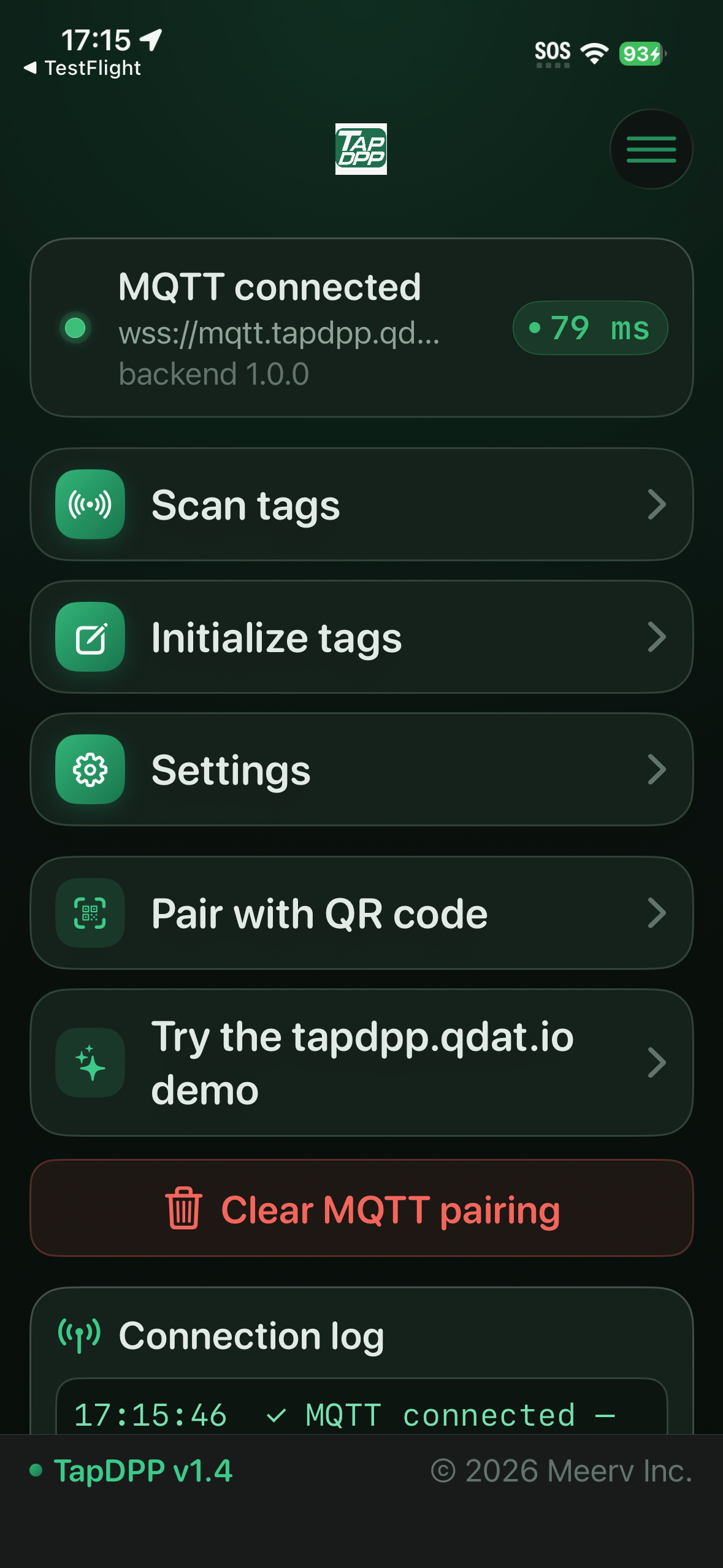
Home — connected to tapdpp.qdat.io, with Scan, Initialize, Settings, QR pairing, and the one-tap demo.
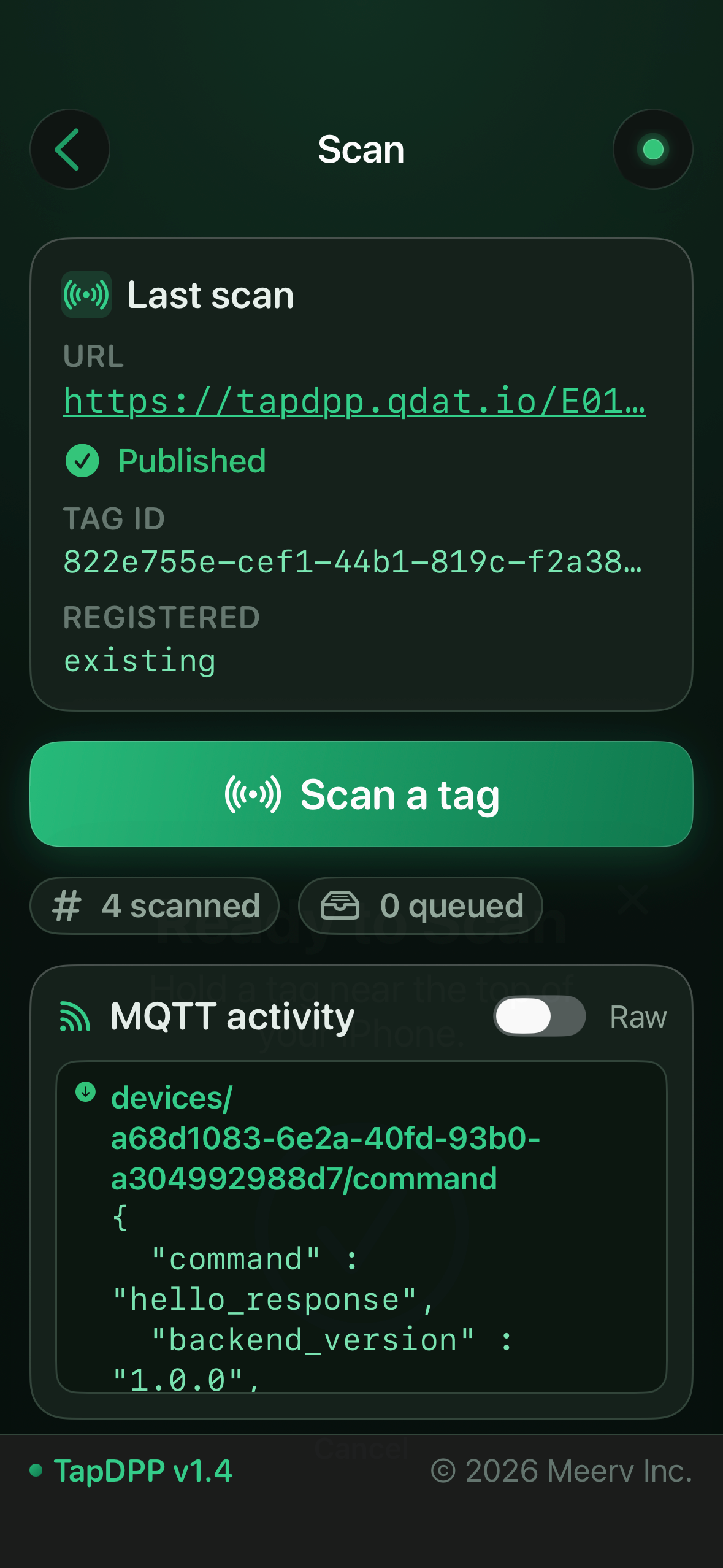
Scan — start an explicit Core NFC session; the live MQTT activity log streams every broker message.
Last scan — the canonical https://tapdpp.qdat.io/<UID> URL written and Published, with the tag ID and registration state.

What TapDPP does

A fully recognized QDat.io reader in your pocket.

TapDPP turns any NFC-equipped Android phone or tablet — and now any recent iPhone — into a fully recognized QDat.io reader. It writes the canonical https://tapdpp.qdat.io/<UID> URL onto NFC Type V and Type A tags — the same URL that resolves on tapdpp.qdat.io — publishes every tap live to the QDat.io MQTT broker, and mirrors QDatDroid's heartbeat protocol so the phone shows up as a live, remotely controllable reader on the operator's dashboard. When the broker is unreachable, scans are queued in an encrypted offline cache and drained the moment QDat.io confirms the writes.

See the full SDPP architecture →

The same features on both platforms

The six things that make the SDPP loop work end-to-end.

These are the capabilities the SDPP architecture depends on. Both the Android and the iPhone client implement all six against the same QDat.io resolver and the same MQTT wire format.

One canonical tag URL — https://tapdpp.qdat.io/<UID>

Both platforms write the same endpoint to NFC. The default prefix is derived automatically from the MQTT broker host paired via the QDat.io QR (mqtt.tapdpp.qdat.io → https://tapdpp.qdat.io/), so an operator's own broker hostname becomes the tag URL with no extra config.

Server-driven URL rewrite — the RURL line

When QDat.io's TAG_REGISTERED ack carries a redirect_url for the just-scanned UID, the Last-scan card replaces the regular URL line with a red, underlined RURL line bearing the redirect target — and TapDPP rewrites the tag in place. The spatiotemporal resolver visibly routing one tag to different URLs based on When and Where.

GPS & Location — master switch + Live/Override

The Where pillar made operator-explicit. A single master toggle ("Send location with scans") suppresses all location — including the manual override pin — when off. A Live GPS / Override GPS radio pair picks the source, and a draft pin staged on the map only commits on Save.

Spatiotemporal-DPP onboarding splash

First launch routes through an intro that explains the SDPP concept, a worked bicycle-tag example (same tag → service-history, end-of-life, or consumer view by location), a live GPS self-diagnostic, and the location setup paths — live GPS, manual override pin, or continue without location.

Offline-first MQTT — dual pairings

A QR-scanned production broker and a one-tap tapdpp.qdat.io demo provisioning live side by side; the active source is switchable from Settings. The offline queue persists scans through reconnect cycles and drains as soon as the broker acknowledges — so the SDPP loop survives intermittent or absent network.

NFC Type V + NFC Type A write paths

Tag Init writes to both NFC Type V (ISO 15693) and NFC Type A (NTAG / Mifare Ultralight). A raw block-write fallback handles NTAG-style tags that do not surface a standard NDEF interface, and a deferred two-tap validation flow confirms the URL on tags that drop the link after the first write.

End-to-end in seven taps

From install to a different URL on the same tag — in under five minutes.

TapDPP, the tag, and the QDat.io resolver demonstrate the SDPP loop end-to-end on a single phone and a single tag. Here is the round trip for a first-time user, on either platform.

  1. 01

    Install TapDPP

    On Android, open this page on an NFC-capable phone or tablet and tap Download .apk — enable "Install unknown apps" when the browser asks (Settings → Apps → Special access). On iPhone, open the TestFlight link, install Apple's TestFlight app if needed, and accept the TapDPP beta. Android 8.0 (API 26)+ or a recent iPhone on iOS 16+.

  2. 02

    Sign in to QDat.io from the login screen

    Launch TapDPP. For the public reference instance, tap "Connect to tapdpp.qdat.io" — the app provisions an MQTT pairing in one tap and routes every scan to the demo tenant your /demo credentials are scoped to. For a private deployment, scan the MQTT pairing QR your operator handed you; the broker host (e.g. mqtt.acme.qdat.io) decides the tag-URL prefix automatically.

  3. 03

    Tap a blank NFC tag

    Bring an unprovisioned NFC Type V (ISO 15693) or NFC Type A (NTAG / Mifare Ultralight) tag to the back of the phone. On iPhone you start the scan from the Scan screen — every NFC session is an explicit user action. TapDPP writes an NDEF URI record carrying https://tapdpp.qdat.io/<UID> into the tag, then publishes the scan event — UID, timestamp, GPS — to the QDat.io broker.

  4. 04

    See the URL come back on the Last-Scan card

    The home screen renders the freshly written URL as a tap-to-open link, alongside the tag's UID, the IC manufacturer decoded from the UID byte, and the GPS pin of the read. Tap the URL — your browser (or the app, once Universal Links validate) opens https://tapdpp.qdat.io/<UID>. The MQTT activity log shows the same triple acknowledged by the broker as a TAG_REGISTERED.

  5. 05

    Open the QDat.io dashboard and switch the DPP template

    Sign in to tapdpp.qdat.io in a browser. Find the tag row you just provisioned — UID, last-seen time, last-seen pin. Open it and switch the DPP Template: consumer view, service-history view, dismantling view, regulator view. Same tag, same URL — different page.

  6. 06

    Add a geotime fence and bind an alternate URL to it

    From the same tag row, add a Fence: draw a polygon on the OSM map, set a time window (e.g. 09:00–17:00 weekdays at the dock), and bind it to an alternate URL the tag should carry inside that fence. Save the rule. The fence lives on the resolver, alongside the tag's history — not on the tag.

  7. 07

    Tap the same NFC or RAIN+NFC tag again — QDat.io pushes a different URL

    Bring the same tag back to the phone. TapDPP publishes the new (UID, time, GPS) triple. QDat.io evaluates the fence, returns a TAG_REGISTERED ack carrying the alternate URL, and TapDPP rewrites the tag in place. The Last-Scan card shows the old URL, the new URL, and the rewrite timestamp. The tag has just been re-routed — server-side — on When, What, and Where.

The resolver in action

Tap the tag — the same URL opens a live Digital Product Passport.

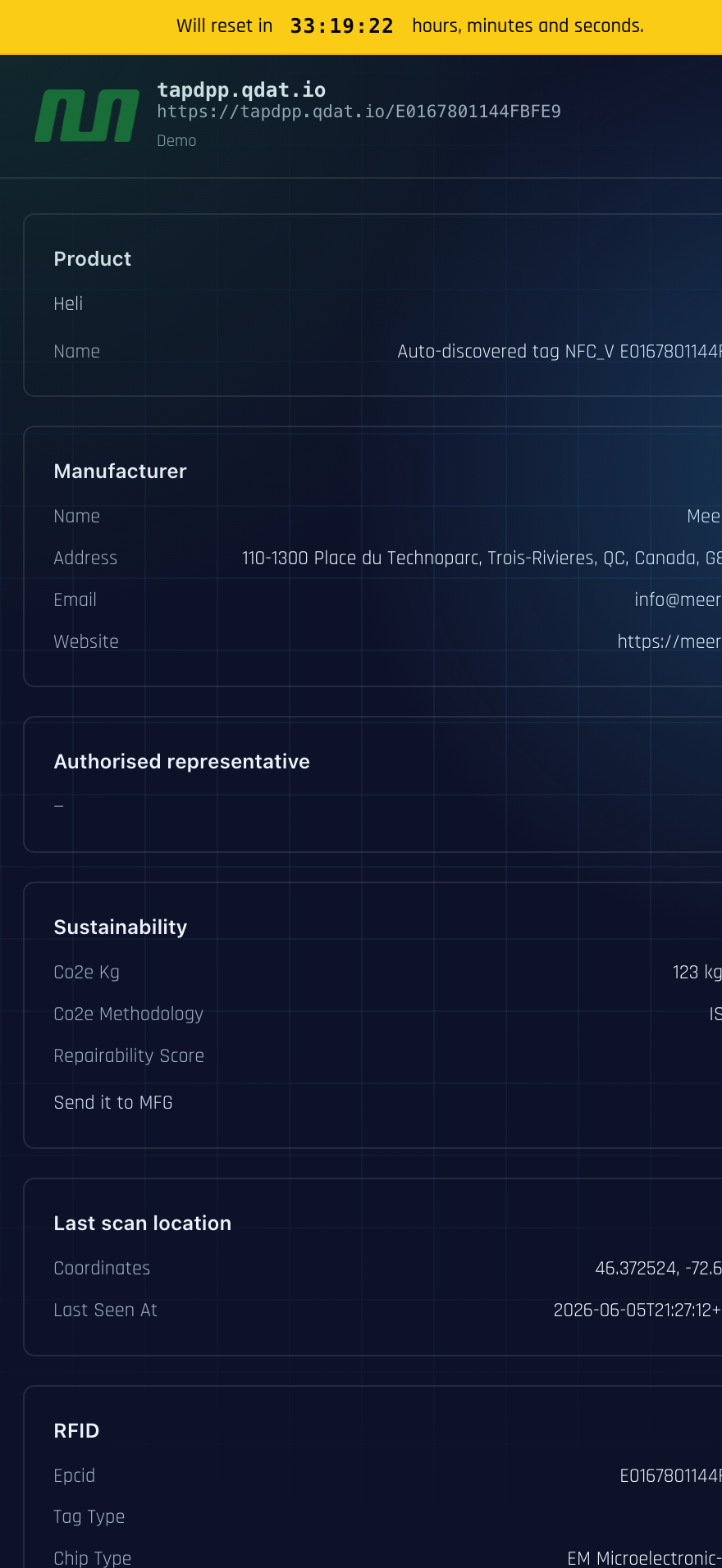
Opening https://tapdpp.qdat.io/<UID> — the exact URL TapDPP wrote to the tag — resolves to a full DPP view served by QDat.io: product identity, manufacturer, sustainability data, the RFID details, and the spatiotemporal Last-scan location pulled from the read itself.

tapdpp.qdat.io resolving a tag's DPP view at https://tapdpp.qdat.io/E0167801144FBFE9 — including the When and Where of the last scan.

The Android client in action

TapDPP on Android.

Screens from the Android build — the same SDPP loop, with a live MQTT connection log and the Tag Init flow that writes the canonical tag URL.

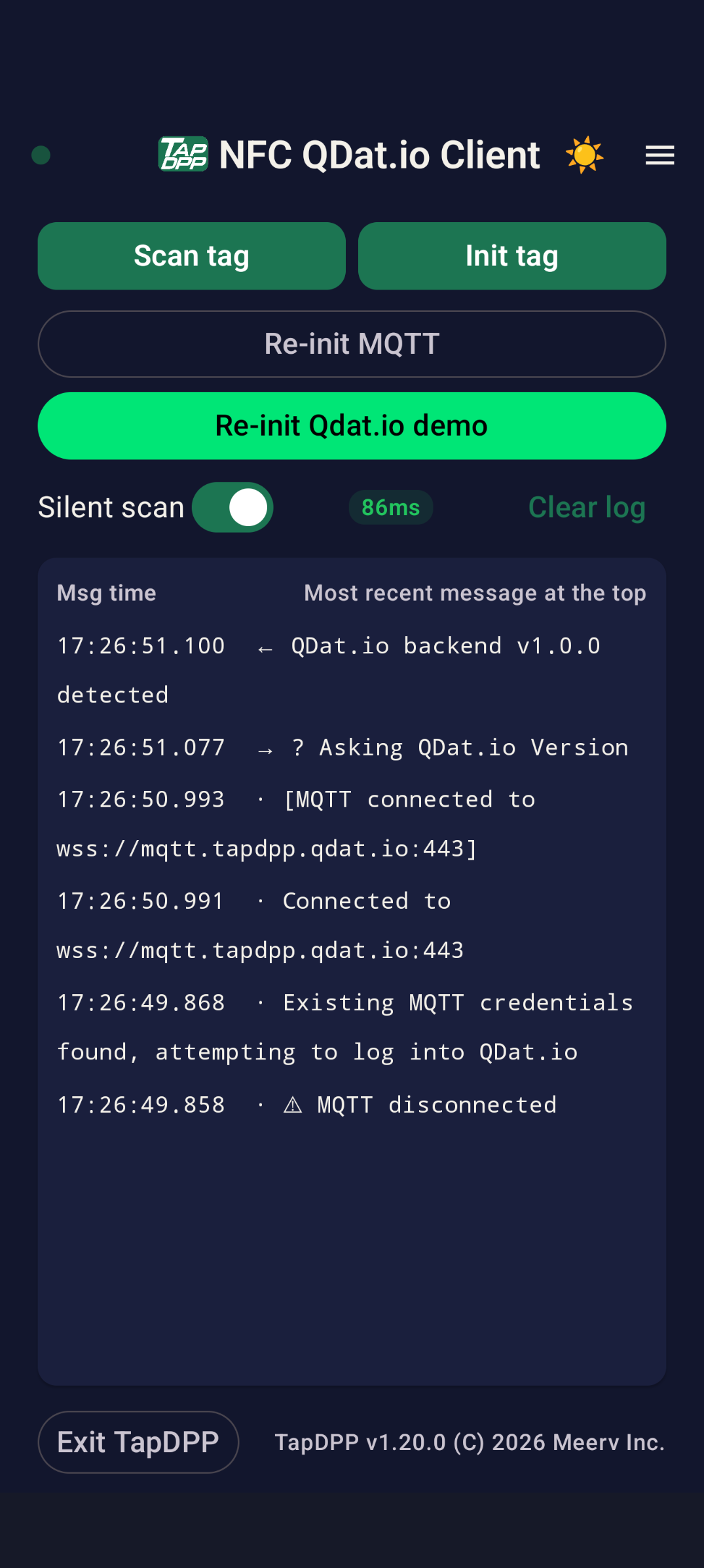
Home — Scan tag, Init tag, MQTT re-pairing and the one-tap QDat.io demo, over a live connection log with round-trip latency.
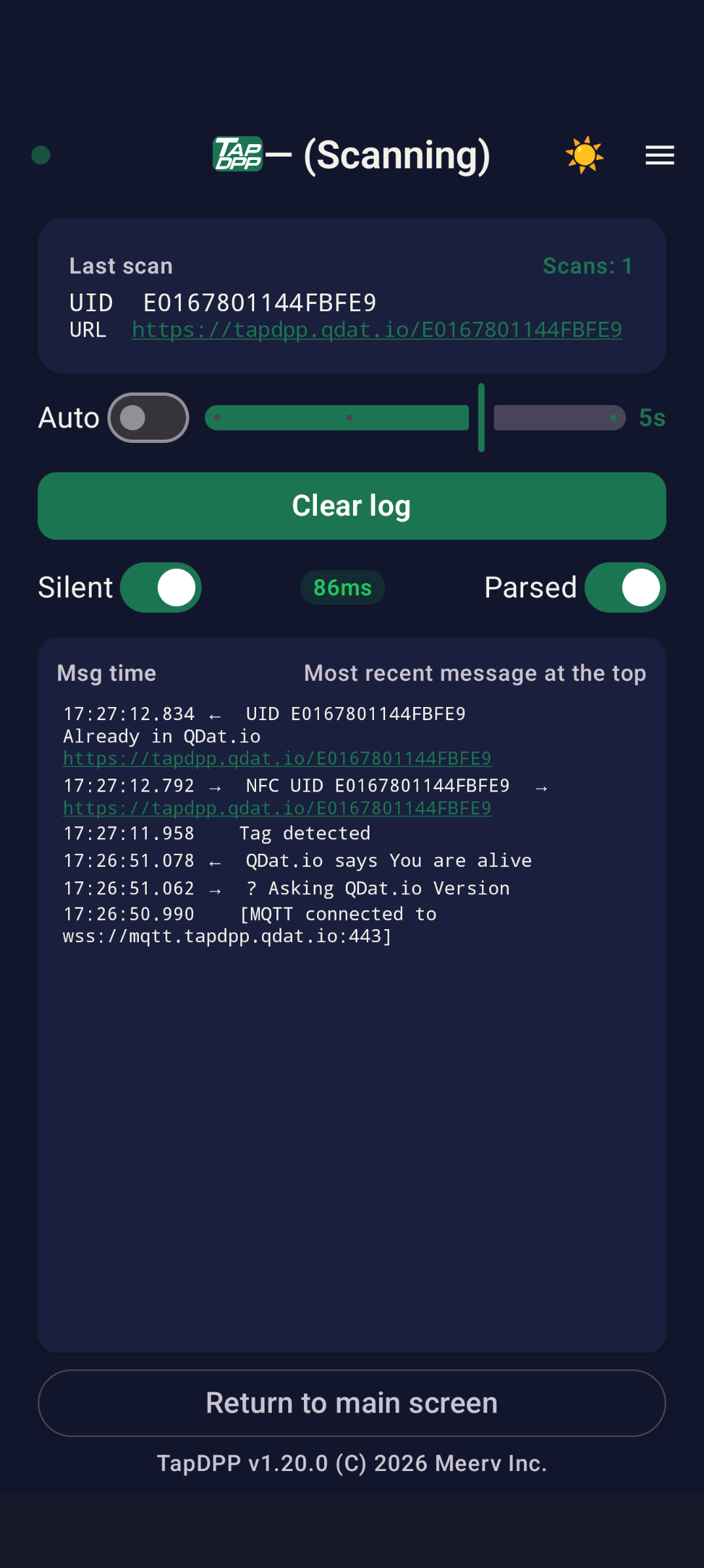
Scanning — the Last-scan card shows the UID and the canonical https://tapdpp.qdat.io/<UID> URL, with Auto, Silent and Parsed controls over the MQTT log.
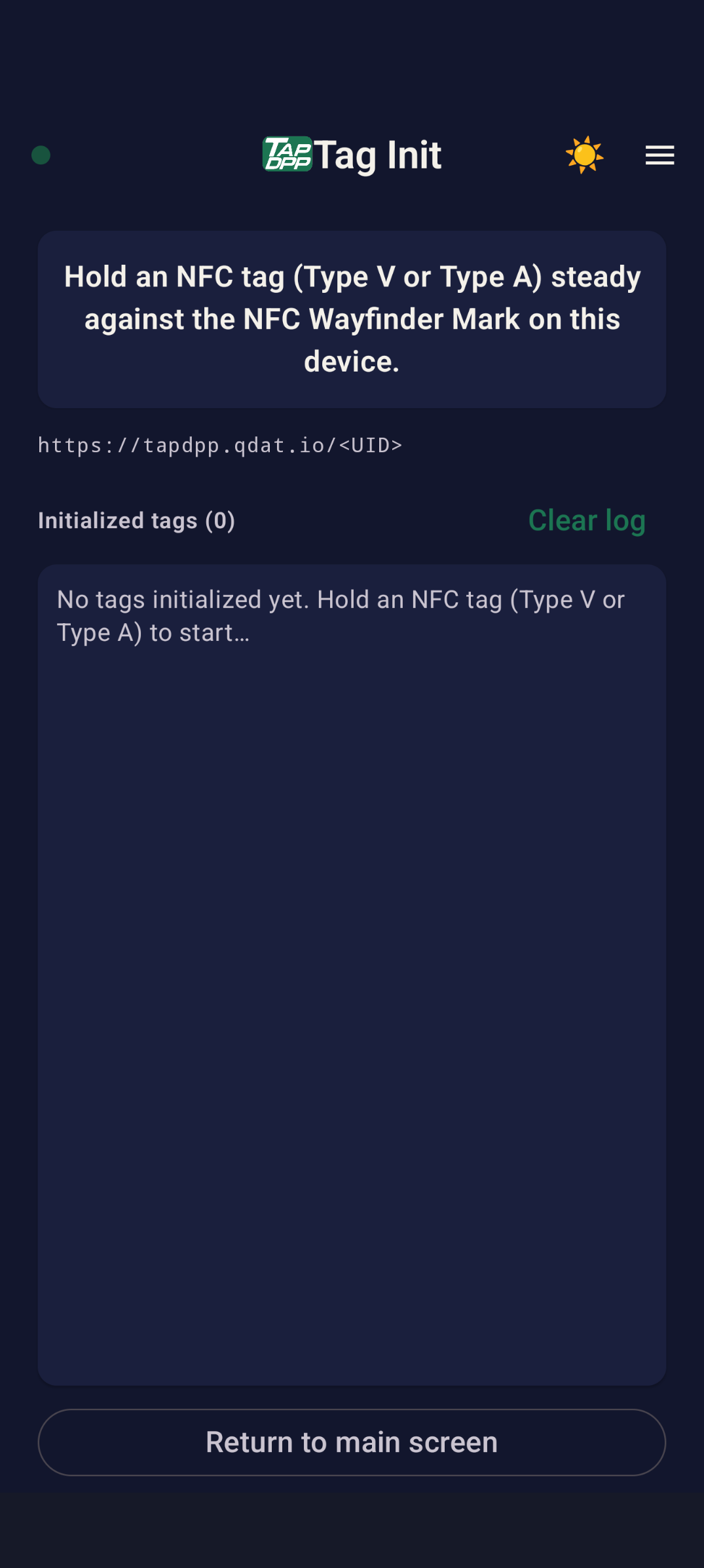
Tag Init — hold a Type V or Type A tag against the NFC Wayfinder Mark to write https://tapdpp.qdat.io/<UID>.

Next

Ready to see SDPP resolve on (When, What, Where)?

Book a QDat.io demo to see how TapDPP pairs an NFC NDPP tag, a handheld, and the QDat.io on-premise resolver into a single spatiotemporal DPP workflow — on Android or iPhone.

Book a DemoRead the SDPP architecture